ValeroPay+
- 4.1
- Rating
- 500.00K
- Installs
- Free
- Price
 Analysis by App-foxy
Paying at the pump is one of those small errands that becomes surprisingly inconvenient when you are in a hurry. I reviewed ValeroPay+ with that specific moment in mind: pulling into a Valero station, wanting to handle the purchase from the car, and avoiding an unnecessary trip inside. The app’s central idea is simple, but its value depends heavily on whether you regularly visit participating Valero locations and prefer using your phone for fuel payments.
Developed by Valero Marketing and Supply Company, this free Travel & Local app is aimed at making the refueling part of a journey less disruptive. It is available to an Everyone audience, and its current version is 6.0.0 for devices running Android 8.0 or later. The app has built a sizeable user base, with over 500 thousand installs, a 4.0 average from around 4 thousand ratings, and roughly 1.6 thousand written reviews. Those figures suggest a useful mainstream tool, although not one that will suit every driver.
Paying at the pump is the feature that defines the experience
The capability I found most important is the ability to use the app as part of the fuel-purchase process instead of treating it as a general travel companion. That focus is a strength. You do not open it expecting maps, trip planning, hotel reservations, or a wide collection of unrelated travel services. You open it because you are at a Valero station and want a more convenient way to manage the stop.
You May Also Like

 Blood Strike: 2.5 Anniversary
Blood Strike’s Loadouts Turn Every Drop Into a Tactical Gamble
A close look at Blood Strike’s custom loadouts: how fast access to signature weapons reshapes its battle royale rhythm, rewards preparation, and narrows the gap between fights.

 Pandora - Music & Podcasts
Pandora’s Music Is Easy to Start, but Harder to Recover
Pandora’s strength is its low-effort path from a seed to a station. Its weak spot is how much confidence it asks you to place in connection, setup, and quiet recovery.

 8 Ball Pool
8 Ball Pool Is Built on Rivalries, Rematches, and Routine
A close look at the rivalries, rematches, shared routines, and unanswered safety questions that turn a quick pool match into a persistent mobile community.

 Samsung Music
Samsung Music’s Quiet Strength Is Playing What You Already Own
Its reach comes less from spectacle than from dependable access to a personal library. That simplicity is both the app’s strongest retention engine and its ceiling.

 AccuWeather: Weather Radar
AccuWeather Review: A Quick, Clear Forecast for Everyday Decisions
For everyday plans, the best forecast is the one you can understand quickly. AccuWeather makes rain timing, radar, and local conditions easy to act on, with a few trade-offs.

 Hill Climb Racing
Why Hill Climb Racing Still Turns Crashes Into One More Run
A tiny car, a bumpy hill and one more upgrade: Hill Climb Racing keeps resurfacing because its simple chaos makes every near-miss feel personal.
More From Our News Desk



That narrow purpose also makes the app easier to judge. The question is not whether it replaces every travel app on your phone. It does not. The better question is whether it removes enough friction from a regular Valero visit to justify keeping it installed. In my experience, the answer is yes for drivers who already use those stations, particularly when the alternative is walking into the store or handling the entire transaction manually at the pump.
The real benefit is not simply “paying with a phone”; it is reducing the number of steps between arriving, fueling, and leaving. That matters when it is raining, when a child is waiting in the back seat, when you are traveling with luggage, or when you are stopping late at night and would rather remain near your vehicle. A small convenience can feel substantial when it appears during every refueling stop.
There is also a practical distinction between a dedicated station app and a bank or digital-wallet app. A wallet may be excellent for tapping or managing cards, but it generally does not provide the same station-specific context. ValeroPay+ is built around the Valero visit itself. That makes it more relevant at the pump, while making it less useful anywhere else.
What the app changes during an ordinary fuel stop
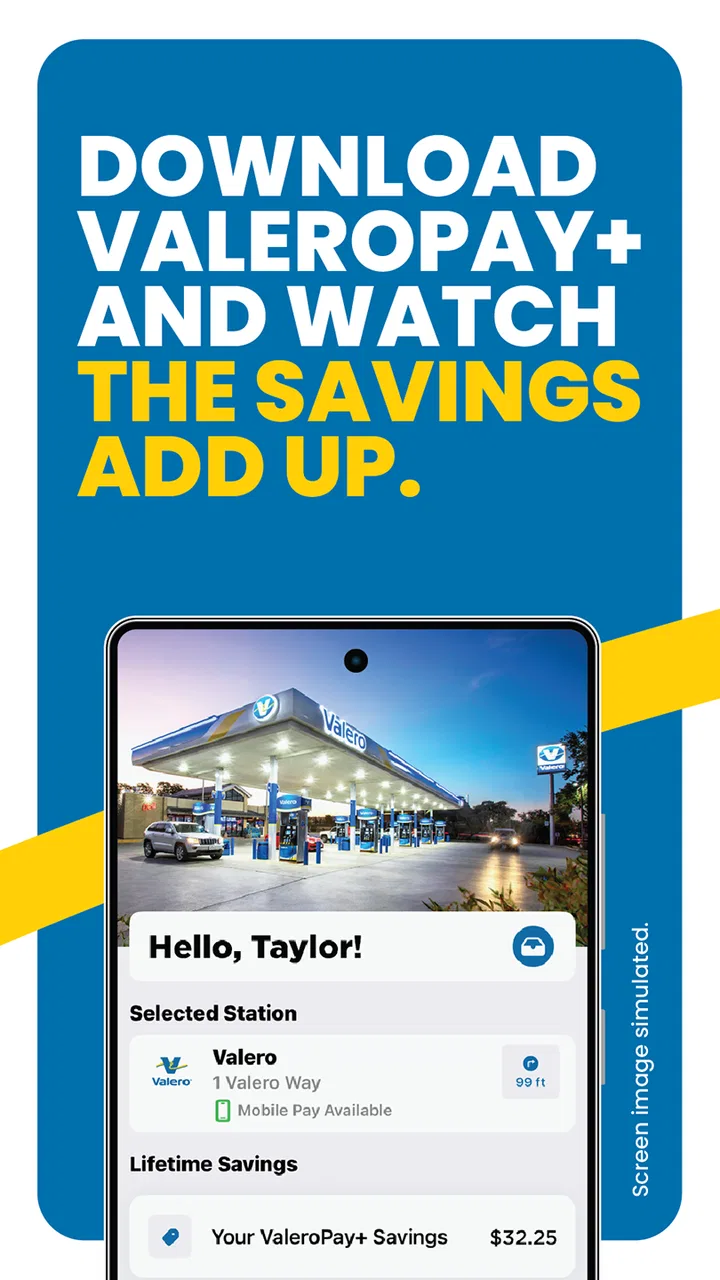
Imagine leaving work with a nearly empty tank and stopping at a familiar Valero location. Instead of treating the pump as an isolated card terminal, you use the app as the starting point for the payment interaction. The phone becomes part of the stop before you begin fueling, rather than something you reach for only after the transaction is complete.
That workflow is especially helpful if you dislike handling a wallet, card, and phone together beside the vehicle. It can also make the stop feel more deliberate: you identify the station, use the app for the purchase, and finish without adding a separate visit to the cashier. The time saved may be modest on a quiet day, but the reduction in hassle is more noticeable when the station is busy.
I would not describe this as a replacement for every payment method. A physical card remains the more dependable fallback if your phone battery is low, your connection is unreliable, or you simply do not want to use an app at the pump. ValeroPay+ is best viewed as an additional route to completing a Valero fuel purchase, not as a reason to abandon every other option.
One useful habit is to prepare before the tank is almost empty. Install the app, open it while you have a stable connection, and become familiar with its payment flow before you are standing beside the pump in a rush. This is a small but important distinction between a convenient tool and an app that feels like extra work. The first use is rarely the moment to discover how you prefer to complete a purchase.
Why the station-specific focus can be more useful than a general wallet
General payment tools are designed to work across many merchants, which is their greatest advantage. Their screens and controls are usually familiar, and they are valuable even when you are not buying fuel. ValeroPay+ takes the opposite approach. Its usefulness is concentrated around the Valero environment, so the app makes sense when brand loyalty or route habits bring you back to those stations.
That specialization can be helpful for a driver who wants one predictable process at a familiar fuel stop. It is less compelling for someone who chooses whichever station is cheapest or most convenient on a particular journey. If your route regularly includes several fuel brands, a general wallet or your bank’s mobile app may be the better everyday choice because it follows you everywhere.
I also see a difference in how each option handles mental effort. With a general wallet, you still need to recognize the station, choose the correct payment method, and use the pump normally. With a station-focused app, the intention is clearer: this is the tool for this specific stop. That clarity is valuable, but only when the station itself is part of your routine.
How I would use it in real life
For a dependable experience, I would set up ValeroPay+ at home rather than during a roadside stop. I would make sure the app is installed on a compatible device, keep the phone charged before a long drive, and open it once in advance so the basic flow is not unfamiliar. These steps are not glamorous, but they prevent the most common kind of frustration: trying to learn a payment app while traffic is waiting behind you.
At the station, I would first confirm that I am at the intended Valero location and that the pump details shown in the app match where I am parked. This is a worthwhile safety habit for any pump-payment system. A moment spent checking the location and pump can prevent an avoidable mistake, especially at a large or busy station where several vehicles and pump numbers are close together.
After completing the payment interaction, I would still pay attention to the pump itself. The app can streamline the transaction, but it does not remove the need to select the correct fuel grade, replace the nozzle properly, or check that the hose has returned to its holder. Digital convenience should shorten the payment process, not encourage distracted fueling.
For families, the app can be useful when one person stays in the vehicle. A parent may not want to leave a sleeping child or an elderly passenger alone while walking inside to pay. For business drivers, it can make repeated stops feel more consistent, although the value depends on whether their routes actually include Valero stations. For solo travelers, the advantage is often simple: less time away from the car and fewer objects to manage at the pump.
Another practical tip is to keep a backup payment method available. I would not begin a long trip with only the app and no physical card. A phone can be unavailable for ordinary reasons, including a depleted battery or a problem with connectivity. The app is most useful when it adds flexibility rather than becoming a single point of failure.
A realistic morning commute
Consider a weekday commute where the fuel warning appears just before the highway. You stop at a Valero station with only a few minutes to spare. The usual process might involve parking, reaching for a card, responding to the pump prompts, and possibly going inside if the payment method or pump interaction requires it. When the app is already installed and ready, the phone can handle the station-specific part of the transaction while you remain focused on getting back on the road.
The difference is not dramatic every time. If the pump is empty and the card reader works instantly, the traditional method may be just as quick. The advantage appears when the stop is inconvenient: bad weather, a crowded forecourt, a passenger who should not be left alone, or a driver carrying several items. In those moments, removing one extra movement can make the whole errand feel easier.
That example also shows why preparation matters. If the app asks you to solve setup issues at the exact moment the commute is already delayed, the convenience disappears. I would treat the first setup as a one-time task to complete calmly, then decide after several visits whether the faster routine is worth continuing.
Where the experience can feel less smooth
The main limitation is the app’s dependence on a particular fuel brand. A driver who rarely visits Valero will not receive much daily value from a tool designed around those stations. Even a frequent traveler may find that the app is useful on one part of a route and irrelevant on another. That makes it a companion for a specific refueling habit, not a universal travel-payment solution.
Phone-based payment also introduces another layer between you and the pump. A physical card is familiar and independent of app navigation. With ValeroPay+, you have to think about the phone, the app, and the station interaction together. For some users, that is a welcome simplification; for others, it feels like replacing a quick card transaction with a more involved digital routine.
There is a privacy and account-comfort trade-off as well. Some people are happy to use an official station app, while others prefer not to create or maintain another digital service for ordinary purchases. I would not recommend installing it solely because mobile payments sound modern. The app earns its place when its station-focused convenience matches your actual driving pattern.
Compatibility is another practical consideration. The stated minimum is Android 8.0, so older devices may not be suitable. Even on a compatible phone, the quality of the experience can depend on the device’s battery condition, network access, and general responsiveness. Before relying on it during a trip, I would test the app under the same conditions in which I expect to use it.
The app’s 4.0 average indicates a generally positive reception with room for individual complaints or uneven experiences. I interpret that as a reason to keep expectations realistic. A station-payment app can be very convenient when everything lines up, but it cannot control every part of a fuel stop. Pump availability, station layout, network conditions, and your own phone all remain part of the process.
When another option is better
If I were comparing this app with a general mobile wallet, I would choose based on frequency rather than brand preference alone. The wallet wins for flexibility across fuel brands and other purchases. ValeroPay+ wins when I repeatedly stop at Valero and want a workflow centered on that station. There is no reason to force one tool to do the other tool’s job.
A physical card is still the better option for someone who values maximum simplicity, does not want another app, or often drives in places where phone service is uncertain. It is also the sensible backup for every user. Meanwhile, a bank app may be preferable to a dedicated fuel app for someone who wants to monitor all spending in one familiar place rather than separate transactions across merchant-specific services.
I would also skip ValeroPay+ if my fuel choices are driven almost entirely by price, location, or whichever station appears first on a trip. In that case, a station-neutral payment method is more practical. The app is not a poor choice for that driver; it is simply too specialized to become a regular habit.
Who will get the most from ValeroPay+
The strongest audience is a driver who visits Valero often enough for a dedicated payment routine to become second nature. That includes commuters with a regular route, families who prefer not to leave the vehicle during a stop, and travelers who appreciate a quicker interaction at a familiar station. For these users, the app’s narrow focus is an advantage because it keeps the experience tied to a real recurring need.
It can also be worthwhile for people who find physical pump payments awkward. If you are carrying bags, managing a passenger, or trying to avoid touching several surfaces during a rushed stop, moving more of the transaction to the phone may feel noticeably cleaner and calmer. The benefit is not about showing off a digital feature; it is about making a repetitive task less disruptive.
New users should give themselves one unhurried trial before depending on it. Confirm that the app suits their device, their preferred payment routine, and the Valero stations they actually use. After that, the decision is straightforward: if the app makes those visits easier, keep it; if it adds more steps than it removes, return to a wallet or card.
ValeroPay+ is free, which lowers the cost of trying it. That does not automatically make it essential, but it does make a short test reasonable for eligible drivers. The Everyone rating also makes it broadly approachable for households, although each person should still choose the payment method they find most comfortable and dependable.
My overall view is positive but specific. I would recommend it to a friend who regularly fuels at Valero and wants to handle the stop from a phone. I would not recommend it as a general travel app or as the only payment backup. Its best quality is its focus: when the station, route, phone, and payment habits all align, it turns an ordinary fuel stop into a more controlled and convenient part of the journey.
FAQs for ValeroPay+
01What is ValeroPay+ and what can I use it for?
ValeroPay+ is Valero’s mobile payment and rewards app for participating Valero and Diamond Shamrock locations. After setting up an account, users can typically use the app to pay for fuel or eligible in-store purchases, view available offers, and manage rewards activity. Availability can vary by station, location, account status, and the payment methods supported in the app.
02How do I create an account and start using ValeroPay+?
To get started, download ValeroPay+ from the official Google Play Store or Apple App Store, then follow the registration instructions shown in the app. You may need to provide an email address, phone number, password, and other requested details. After signing in, review your profile, add an eligible payment method, and check whether your preferred Valero station supports mobile payment.
03Is ValeroPay+ available at every Valero or Diamond Shamrock station?
Not necessarily. Although ValeroPay+ is designed for participating Valero and Diamond Shamrock locations, features and availability may differ between stations. Before relying on the app for payment, use its location tools or check the station’s signage to confirm support. Some locations may accept only certain features, such as rewards or fuel payment, rather than the complete set of services.
04Is ValeroPay+ safe for payments and personal information?
ValeroPay+ is intended to provide a more convenient way to pay without handling a physical card at the pump or register. Even so, users should download it only from an official app store, protect their login credentials, enable device security, and avoid sharing verification codes. Review the app’s privacy policy and payment terms to understand how account and transaction information is handled.
05What should I do if a payment, reward, or account feature does not work?
If ValeroPay+ does not process a payment or display a reward correctly, first confirm that your internet connection is working, the app is updated, and the selected station participates in the feature you are trying to use. You can also sign out and back in or restart the app. Keep your receipt and transaction details, then contact Valero or in-app support if the issue continues.
Pros
- Quick access to Valero fuel discounts and promotional offers.
- Conveniently locate nearby Valero stations using the built-in map.
- Digital payment features can reduce time spent at the pump.
- Stores receipts and transaction details for easier expense tracking.
- Useful for frequent Valero customers who want rewards in one app.
Cons
- Benefits are limited if there are few Valero stations in your area.
- Some features may require location
- payment
- or account permissions.
- App usefulness depends on participating stations and available promotions.
- Users may encounter occasional login
- loading
- or payment-related issues.
- Rewards and discounts can have restrictions
- expiration dates
- or exclusions.

ValeroPay+
Gallery